

Introduction
Welcome to AI Blogger Agent, the ultimate command center designed to bridge the gap between AI-driven content creation and strategic social media management. This module empowers you to transform raw ideas into high-performing social posts by leveraging a sophisticated ecosystem of Agents tailored to your brand’s unique voice. From the high-level bird’s-eye view of your Dashboard to the granular precision of the Post editor, AI Blogger Agent streamlines your entire workflow. You can orchestrate your long-term strategy using the interactive Calendar for seamless scheduling, while the Analytics suite provides the data-driven insights necessary to refine your reach and engagement. Whether you’re a solo creator or a scaling agency, AI Blogger Agent acts as your tireless digital co-pilot, ensuring your social presence is consistent, impactful, and effortlessly managed.
Dashboard
The Dashboard is the pulse of your AI Blogger Agent experience. Designed as a high-level command center, it provides a real-time overview of your content strategy’s health. Instead of digging through menus, the dashboard brings your most critical metrics and upcoming tasks to the forefront, allowing you to move from “planning” to “publishing” in a single click. It’s your starting point for every session, ensuring you always know what’s live, what’s coming, and what needs your final touch.
1. Post Overview: New vs. Scheduled
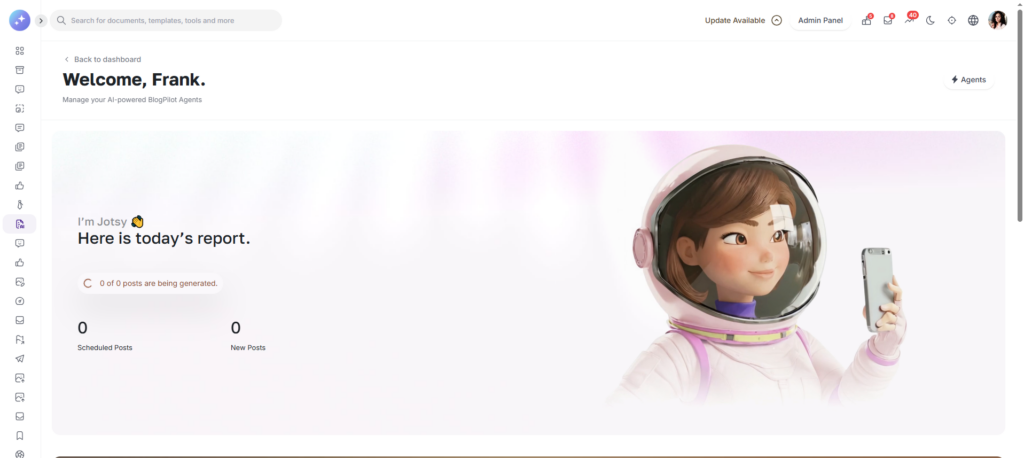
Efficiency starts with knowing your numbers. The Dashboard features two primary status counters to help you manage your production pipeline:
New Posts: These are fresh drafts generated by your Agents. They represent content that is ready for review but hasn’t yet been committed to a date.
Scheduled Posts: This counter tracks everything currently locked into your content calendar. It gives you a clear indication of how far ahead your social media presence is secured.
2. Blog Calendar
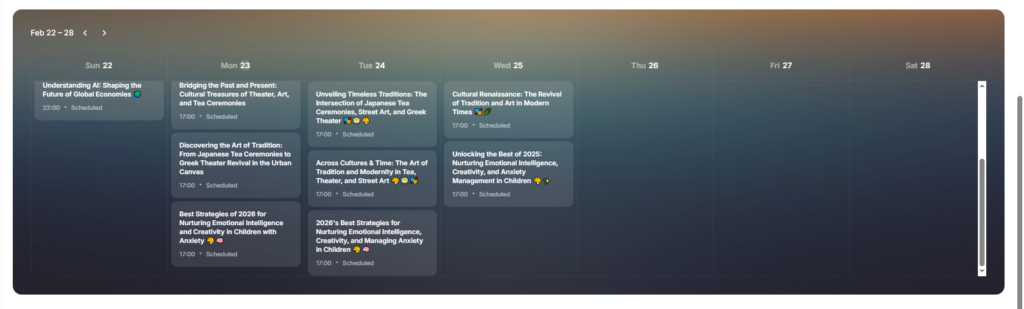
Right in the heart of the dashboard is a streamlined Calendar View. This isn’t just a static display; it’s a chronological map of your content.
Visual Indicators: Icons and labels clearly mark which blogs were successfully Posted and which are Scheduled for the coming days.
Gaps & Opportunities: By seeing your weekly or monthly spread, you can instantly spot “dry spells” and use an Agent to generate a post to fill the void.
3. Latest Posts & Pending Actions
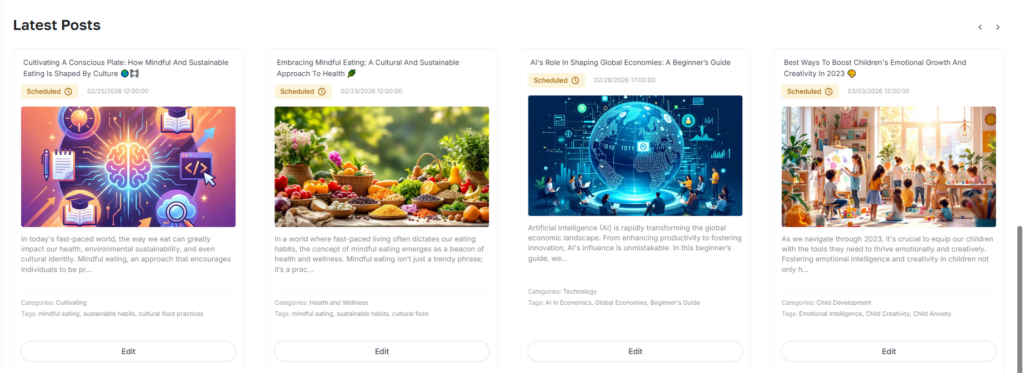
The Latest Posts section acts as your “To-Do” list for content quality control.
Review Pending Content: Any post that hasn’t been finalized appears here.
Quick Edit Access: You don’t have to navigate to a separate module to make changes. Each entry in this list includes a direct Edit button, allowing you to tweak the copy, update the hashtags, or change the media before moving the post to the “Scheduled” category.
Agents
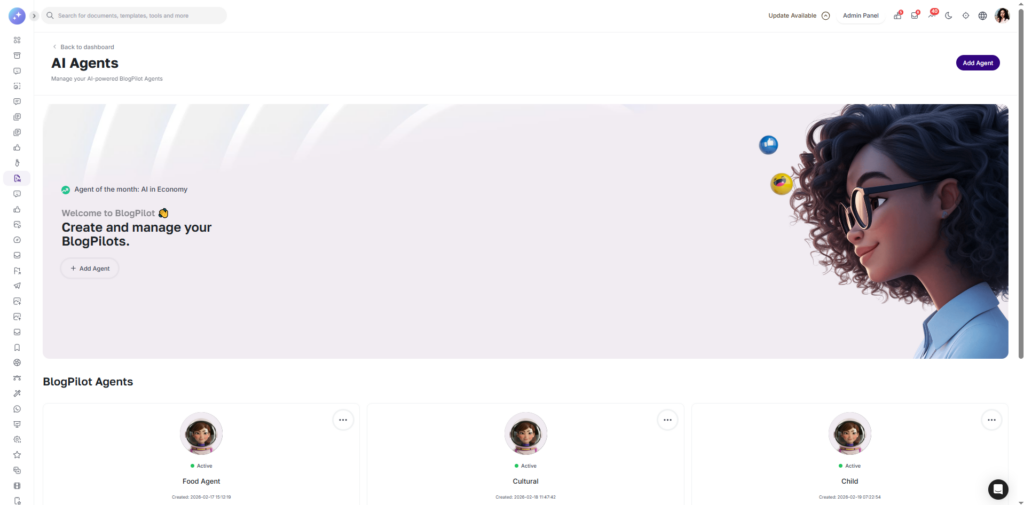
The Agents module is the creative engine of AI Blogger Agent. Here, you manage your fleet of specialized AI personas, each designed to embody a specific brand voice or content strategy. Whether you need a formal industry news reporter or a casual social media influencer, the Agents handle the heavy lifting of drafting, researching, and formatting your posts so you don’t have to.
Your Agent Roster
The main Agents screen displays all your existing personas at a glance. You can see which agents are active, their specific niches, and their current posting frequencies. From here, you can jump into a setup wizard to build a new agent from the ground up.
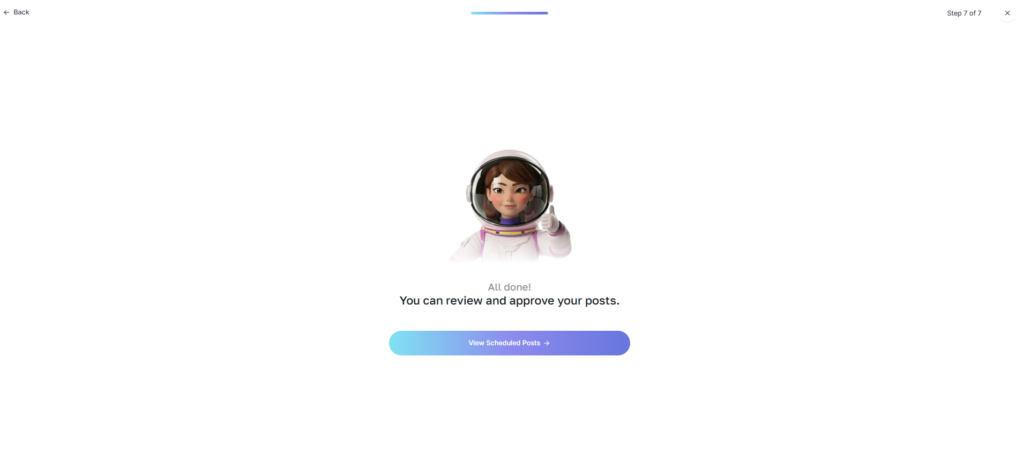
Creating a New Agent: The 5-Step Setup
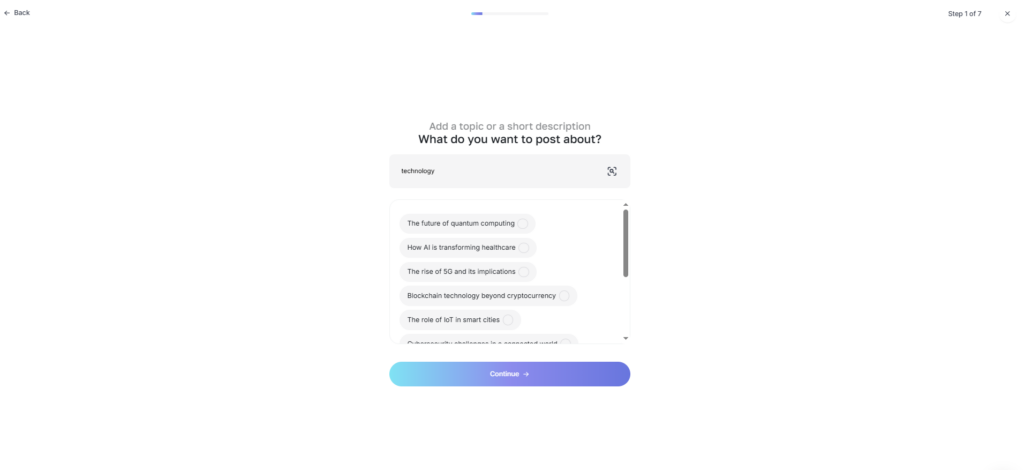
- Define the Niche: * What do you want to post about? Tell the agent your core topics—whether it’s “Tech Innovations,” “Healthy Living,” or “Real Estate Trends.”
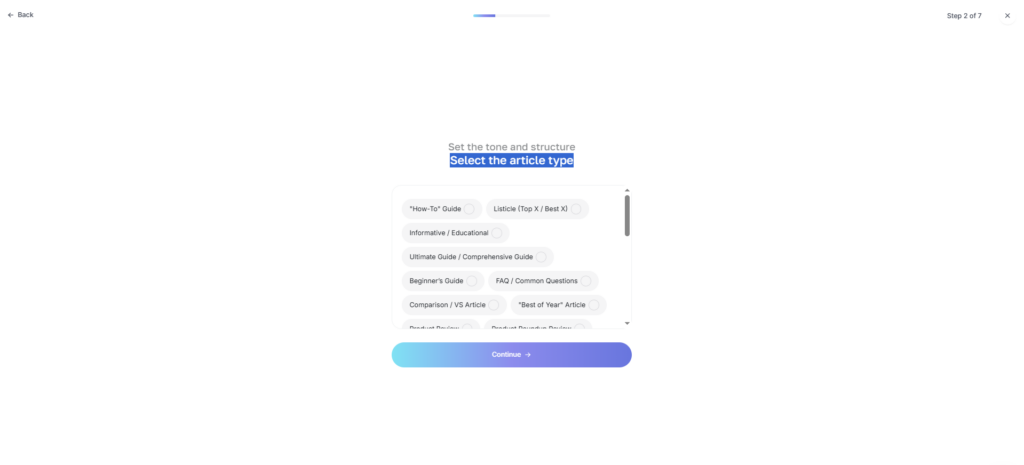
- Select Article Type: * Choose the format that fits your platform. Options include long-form educational blogs, short-form “hooks,” or listicle-style updates.
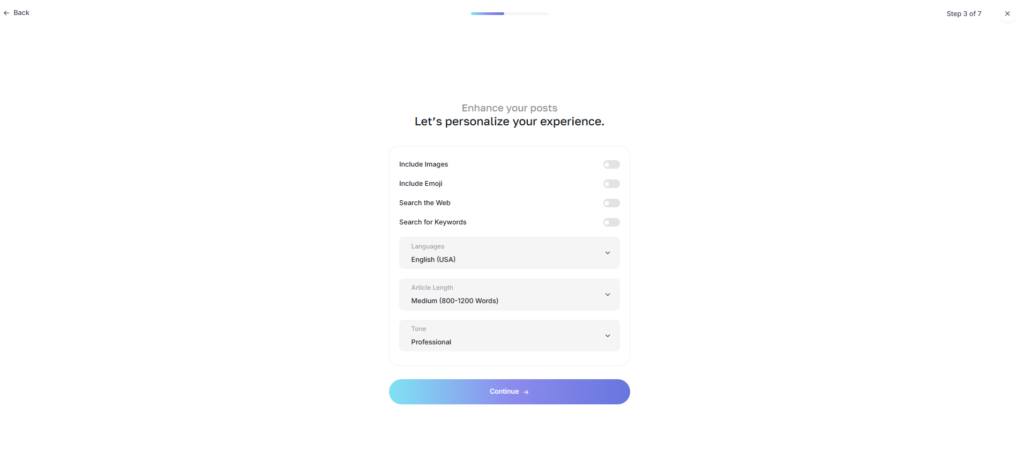
- Personalize the Experience: * Fine-tune the “personality” of your output. In this step, you can toggle features like: * Include Images: Automatically attach relevant visuals. * Include Emojis: Add flair and personality to your copy. * Search Web: Grant the agent access to real-time data for up-to-the-minute accuracy. * Search Keywords: Optimize for SEO by providing specific terms for the agent to target.
- Set the Schedule: * When do you want me to post? Define your cadence. Select the specific days of the week, the exact time, and the number of posts per day. You can also set recurring events (Daily, Weekly, or Monthly) to ensure your calendar stays full automatically.
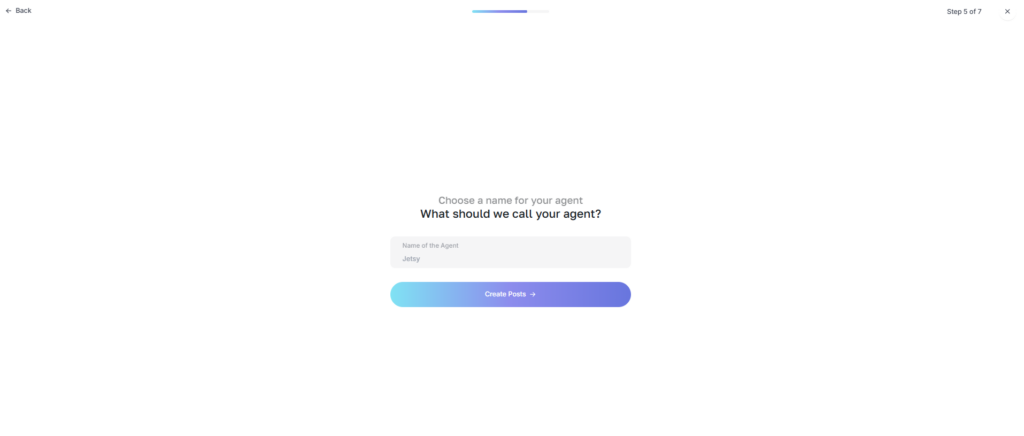
- Name Your Agent: * Give your creation a unique name (e.g., “The Crypto Reporter” or “Lifestyle Guru”) so you can easily identify its drafts in the Posts and Analytics modules.
Posts
The Posts Module is your comprehensive archive and control center for every piece of content generated within AI Blogger Agent. While the Dashboard gives you a snapshot, the Posts module provides a deep-dive, tabular view of your entire library. This structured environment is designed for high-volume management, allowing you to organize, refine, and redistribute your content across multiple platforms with surgical precision.
Managing Your Content Library
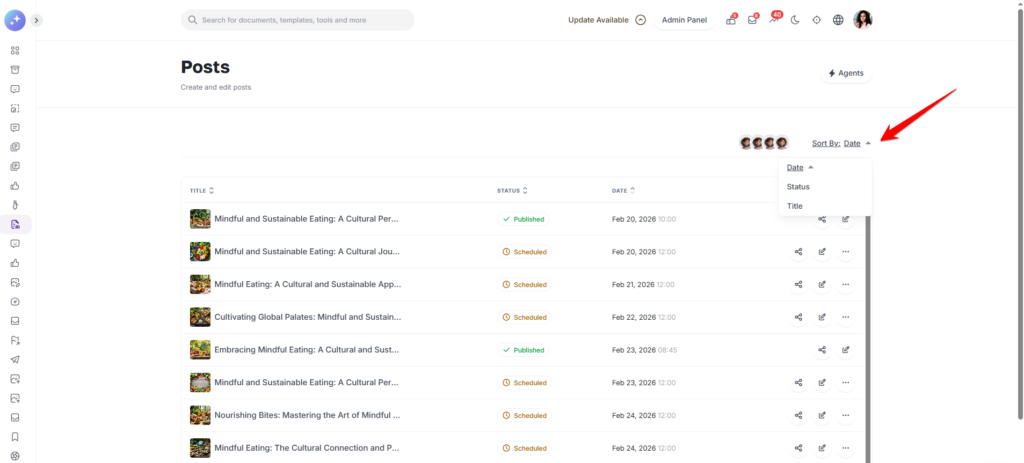
All posts are organized in a clean, professional table that supports advanced sorting and filtering. You can instantly organize your view by:
Date: Track your content history or upcoming queue chronologically.
Status: Group posts by “Published,” “Scheduled,” or “Draft” to see what needs attention.
Title: Quickly locate specific campaigns or blog topics alphabetically.
Dynamic Actions & Workflow
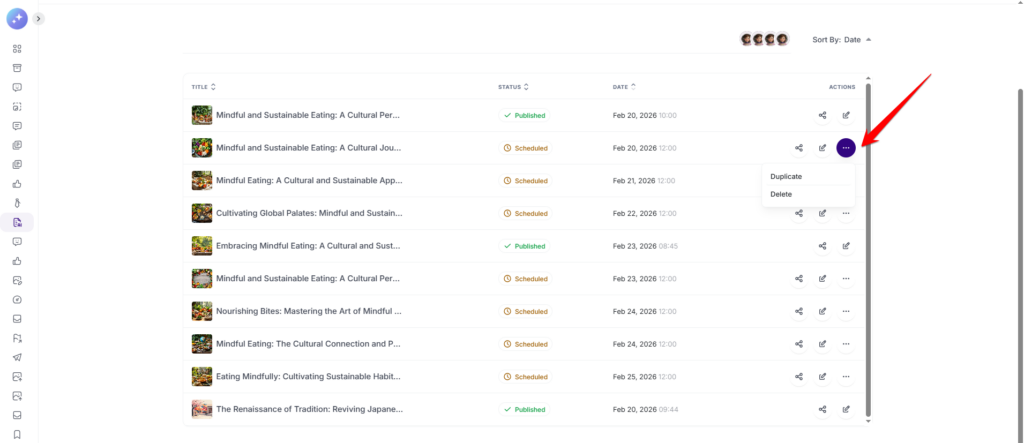
The system intelligently adapts the tools available to you based on the lifecycle of your post. This ensures your live content remains stable while your drafts remain flexible.
| Feature | Published Posts | Unpublished (Draft/Scheduled) |
| Edit | Update live copy or fix typos. | Refine content before it goes live. |
| Share | Re-distribute successful content. | Send for external preview or manual posting. |
| Duplicate | Create a copy for a new campaign. | Clone a post to use as a template. |
| Delete | — | Remove unwanted drafts or cancelled posts. |
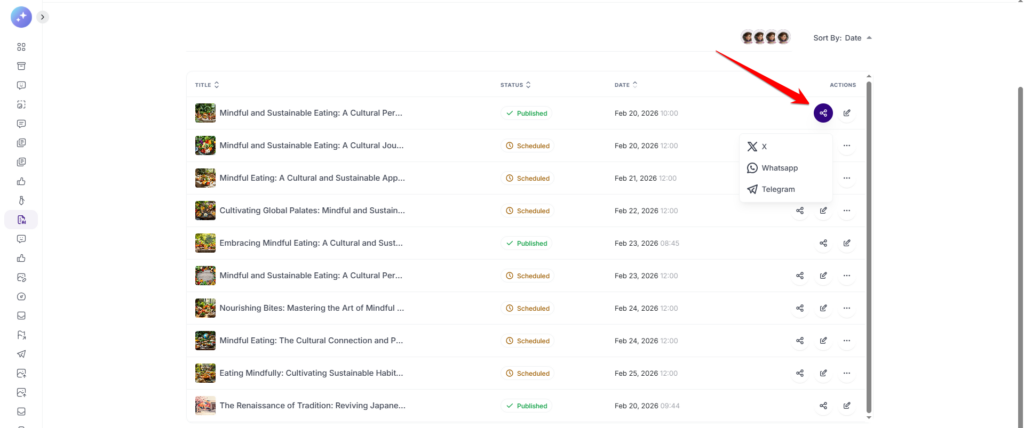
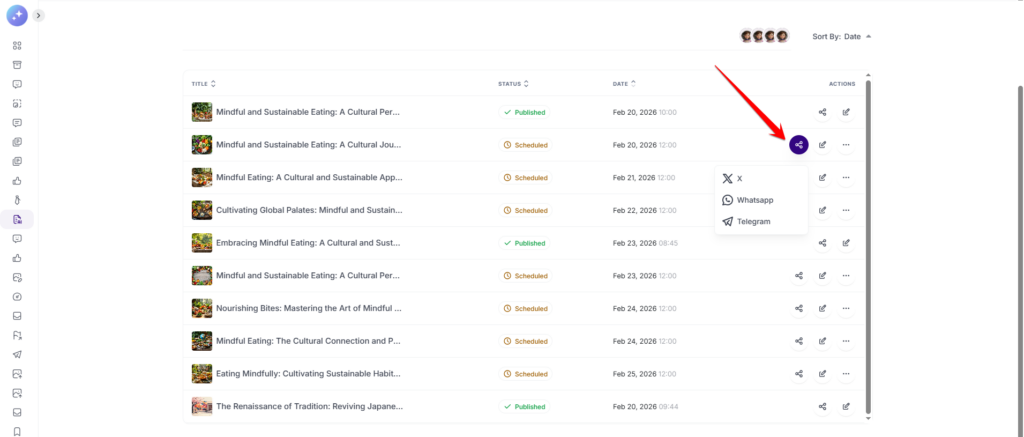
Multi-Channel Sharing
AI Blogger Agent makes manual distribution a breeze. With integrated sharing triggers, you can push any post—whether it’s already live or still a draft—directly to your favorite platforms:
X (formerly Twitter): Perfect for real-time engagement and news-style updates.
WhatsApp: Send content directly to your broadcast lists or private groups.
Telegram: Reach your community channels instantly with formatted text and links.
- WordPress: Seamlessly publish your AI-generated articles directly to your website as live posts or formatted drafts. (Make sure you have installed WordPress Integration add-on and set up the integration)
Calendar
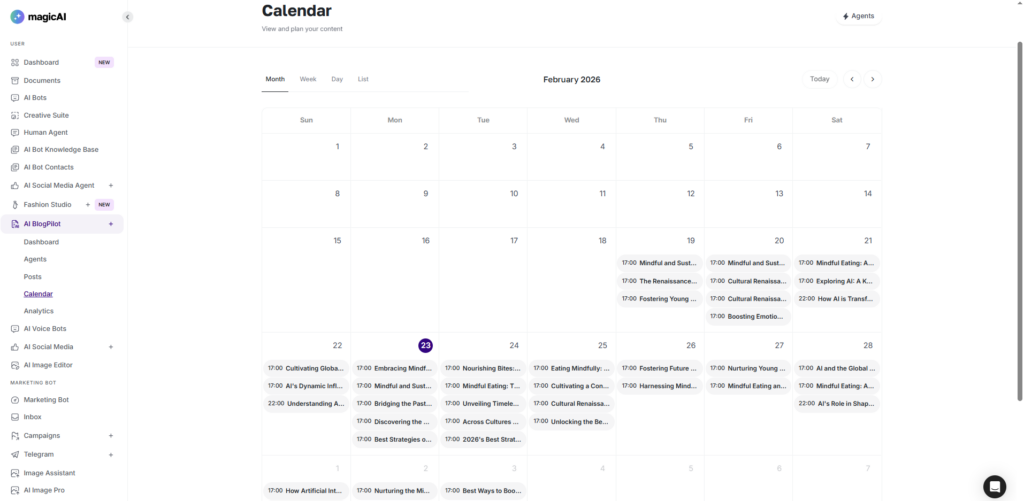
The Calendar module transforms your content list into a dynamic, visual roadmap. It serves as the ultimate bird’s-eye view for your social media strategy, allowing you to move beyond individual posts and see the “big picture” of your brand’s digital footprint. By mapping your content across days, weeks, and months, you can ensure a consistent posting cadence and avoid overwhelming your audience.
Analytics
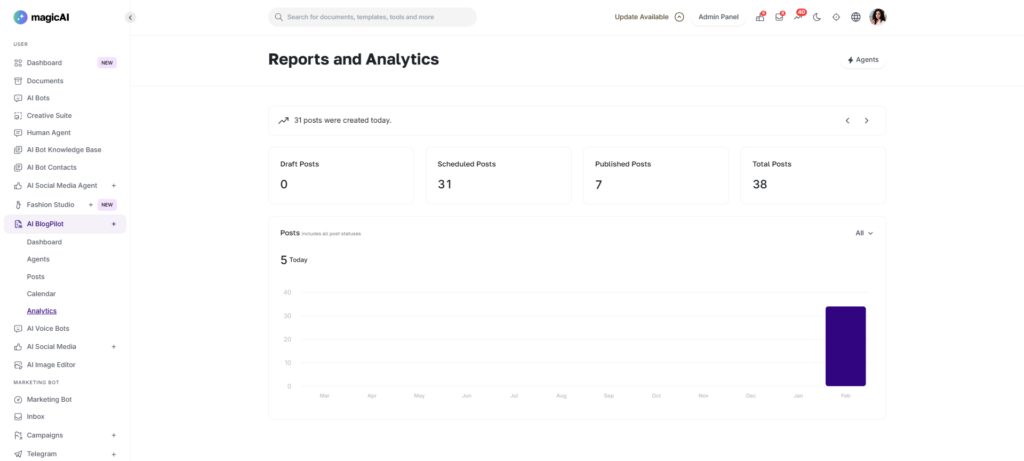
The Analytics module is the intelligence hub of AI Blogger Agent. It transforms your posting activity into actionable insights, helping you understand the volume, velocity, and origin of your content. By quantifying your social media efforts, this module ensures your strategy is backed by hard data rather than guesswork.
We are so excited for you to start your journey with AI Blogger Agent! We truly hope this add-on simplifies your workflow and helps your creative vision soar across social media. Thank you for letting us be a part of your digital growth—we can’t wait to see what you create!