

Type and hit enter
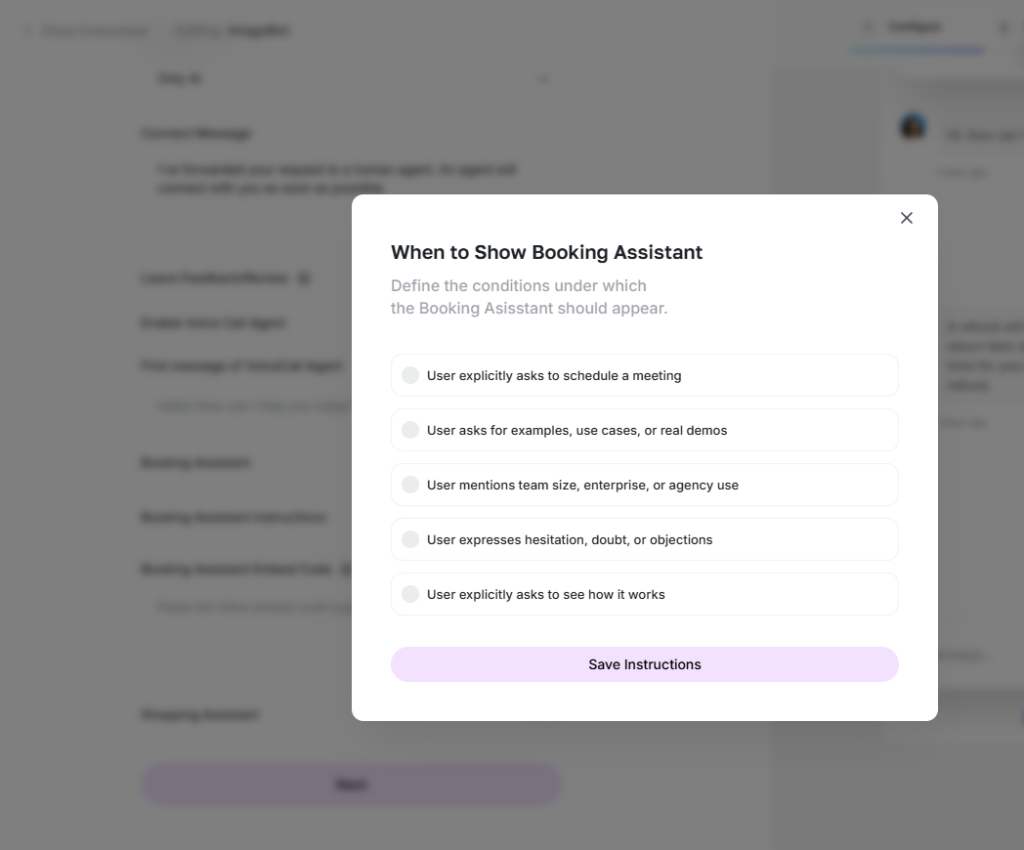
The Booking Assistant is a specialized expansion for the MagicAI external chatbot, designed to convert conversations into confirmed appointments. By enabling this feature, you transform your chatbot from a general information provider into a proactive scheduling tool that handles your calendar 24/7.
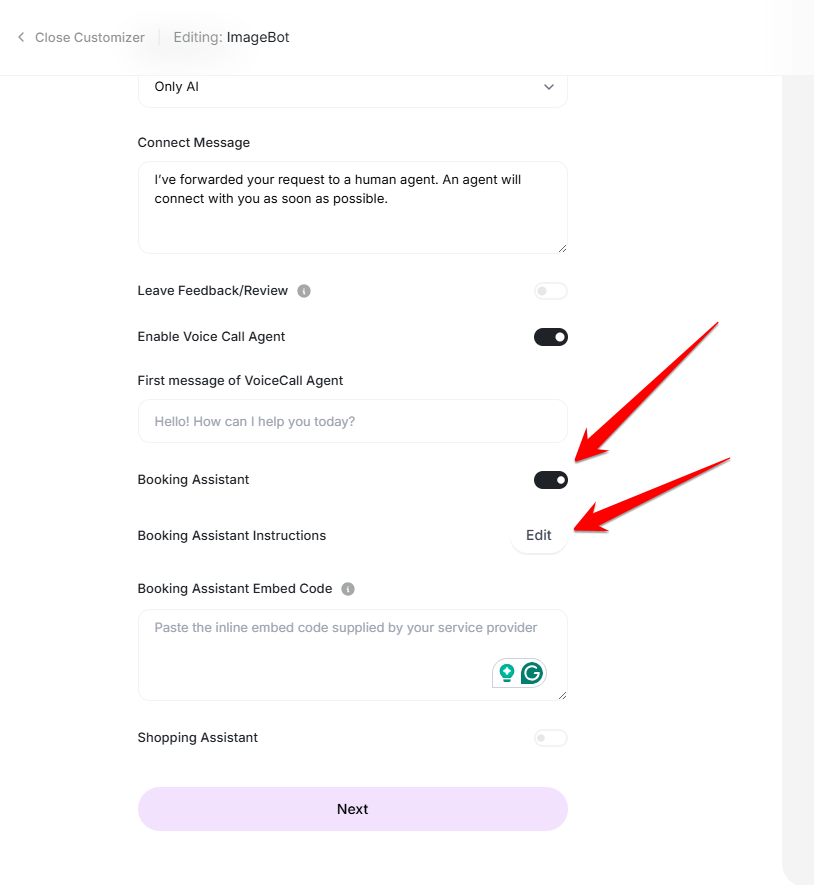
To activate this functionality, simply toggle the Enable Booking Assistant option during the chatbot creation or editing process. Once active, the chatbot gain the ability to check your availability, collect essential user details, and finalize bookings directly within the chat interface.
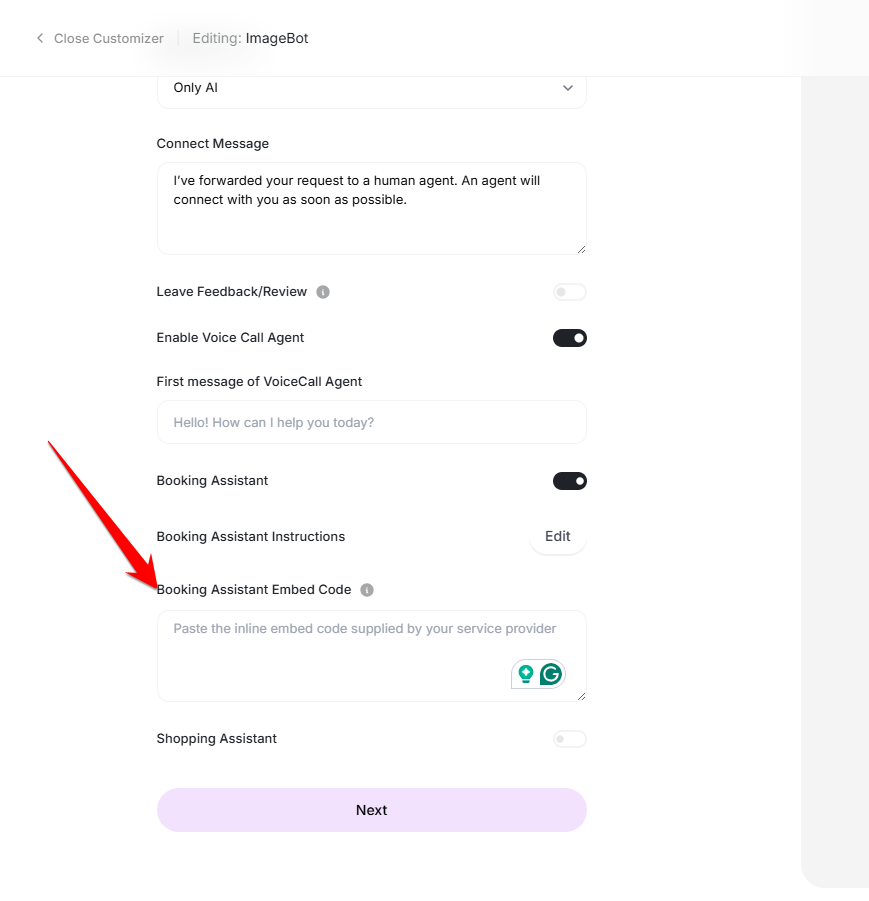
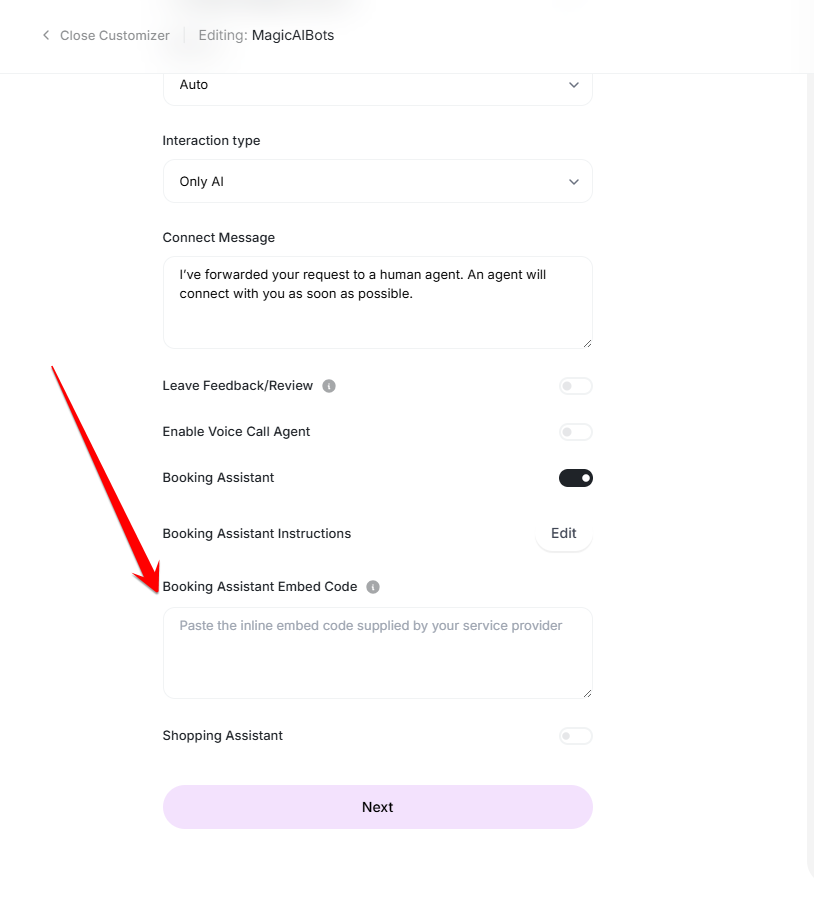
To finalize the integration, simply paste the Embed Code provided by your booking service into the relevant section. This script connects your external chatbot to the booking engine, enabling real-time scheduling for your visitors.
1- Log in to your Calendly account or sign up to get started.
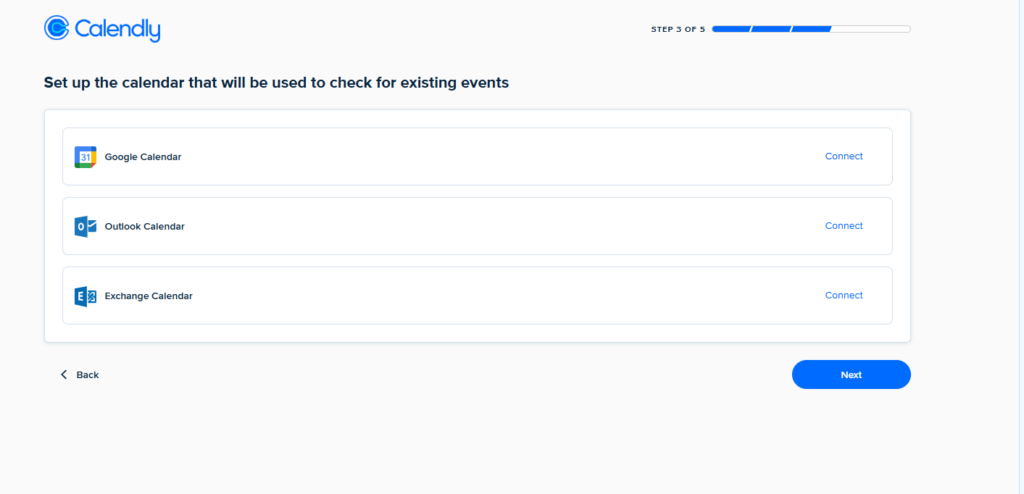
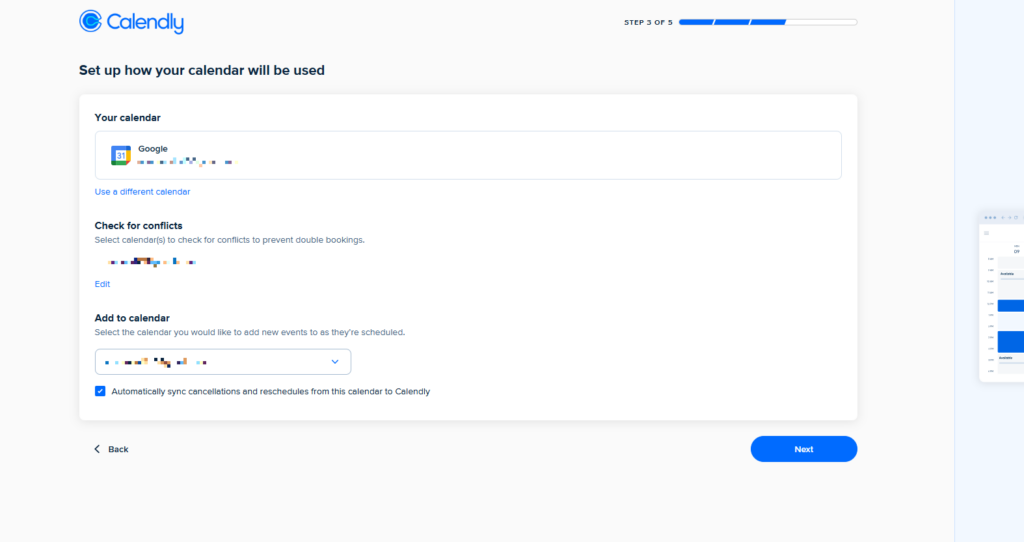
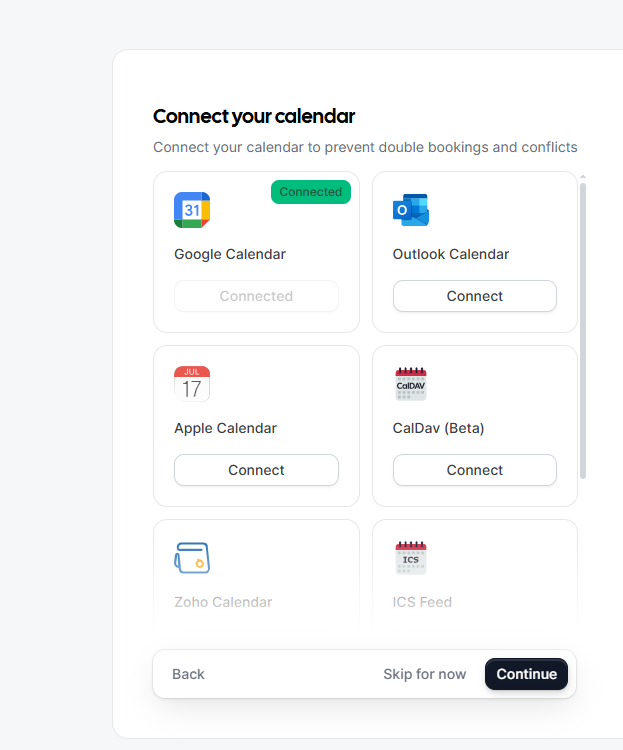
2- Please connect your account.
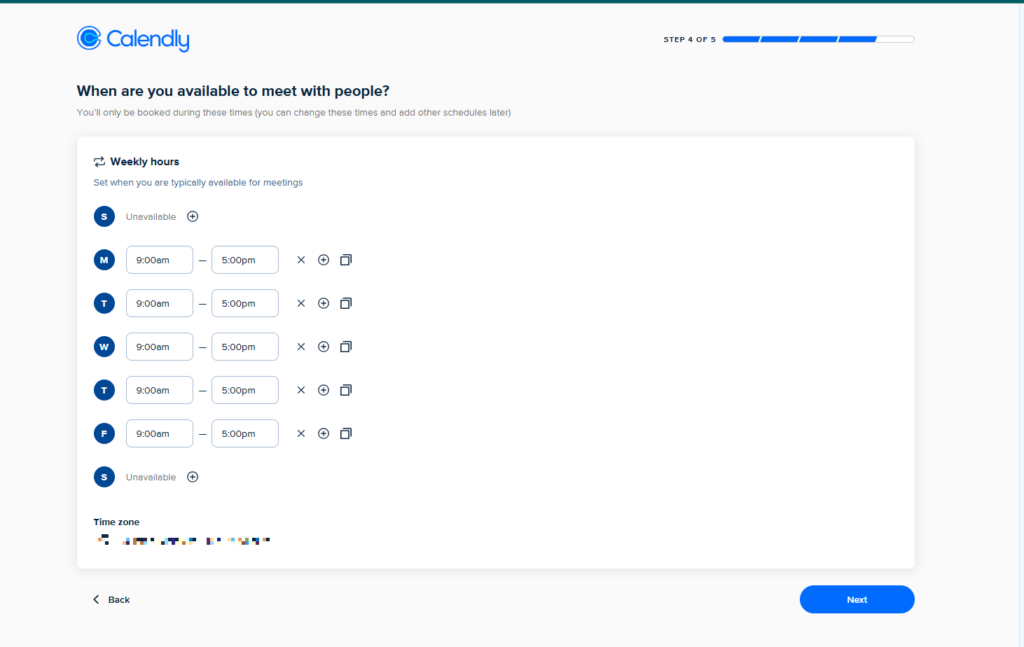
3- Set your availability
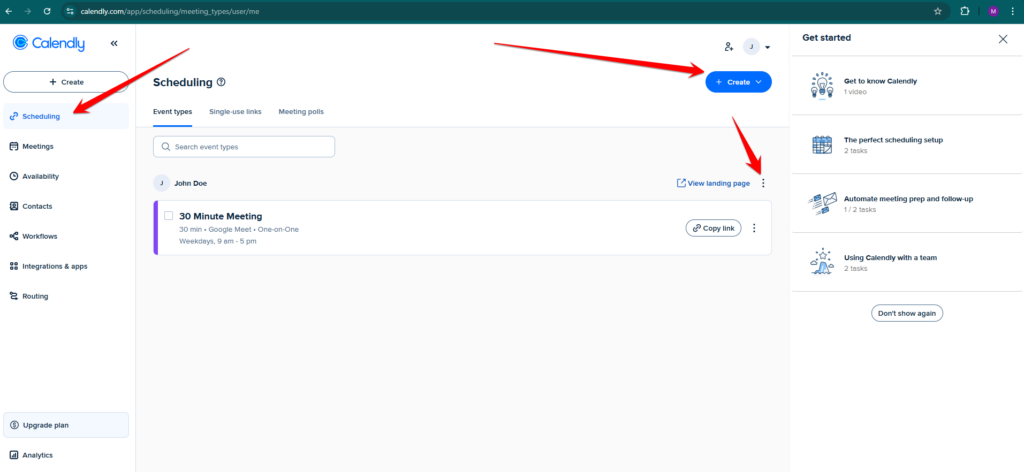
4- Navigate to Scheduling and create your first event if you haven’t already. Then, select the three dots on your event card to view your landing page.
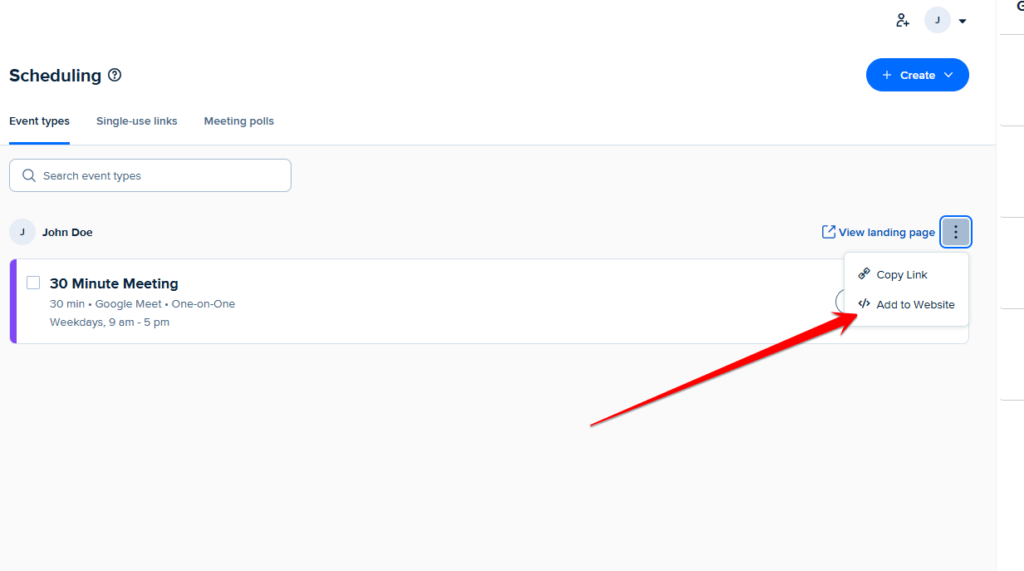
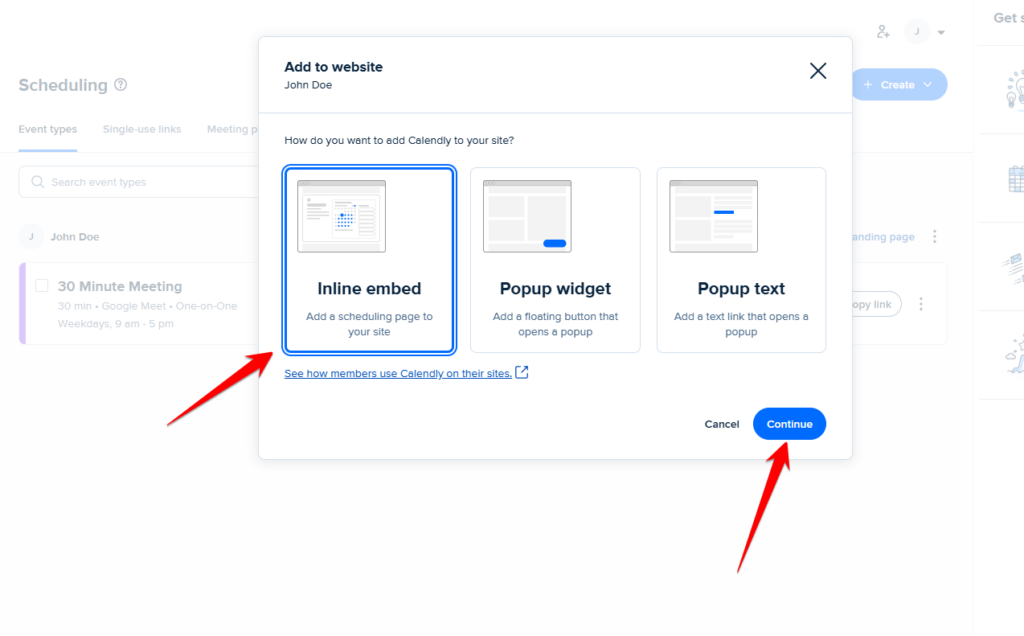
5- Click on Add to Website.
6- Choose the Inline Embed option, then select Continue.
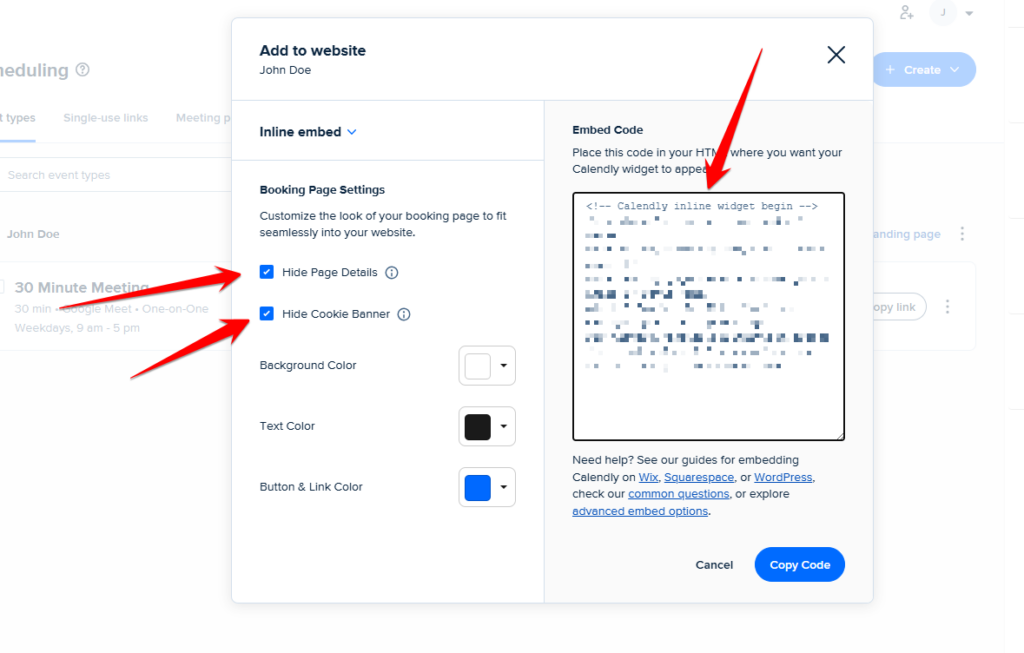
7- It will give you the embed code. Make sure to Hide Page Details and Hide Cookies Banner. Copy the code.
8- Add the code in the Booking Assistant Embed Code.
1- Log in to your Cal.com account or sign up to get started.
2- Please connect your account.
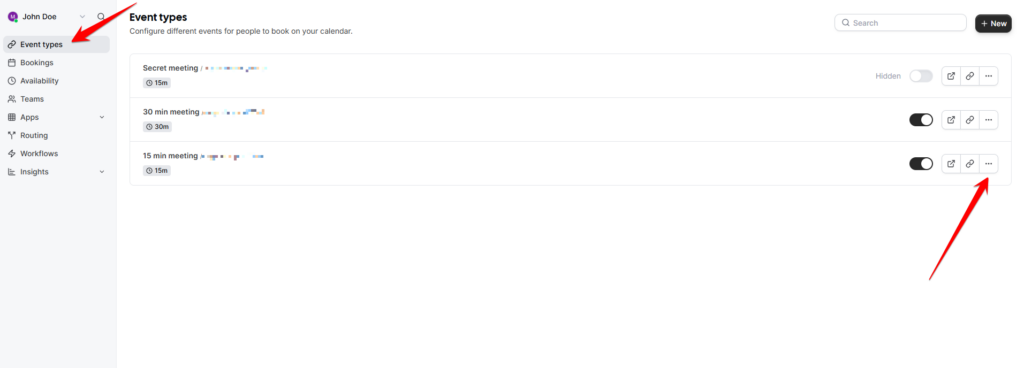
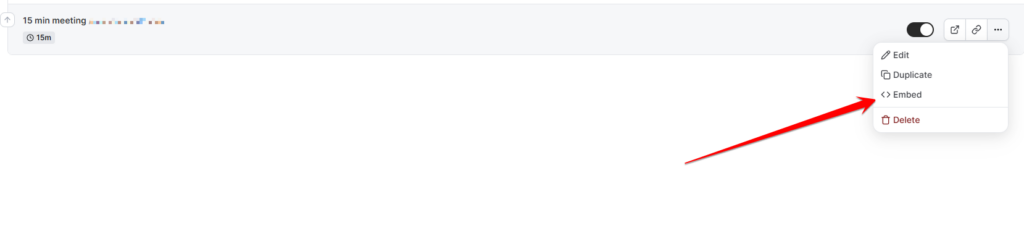
3- Create an event or click on the options of an event.
4- Click on the Embed option.
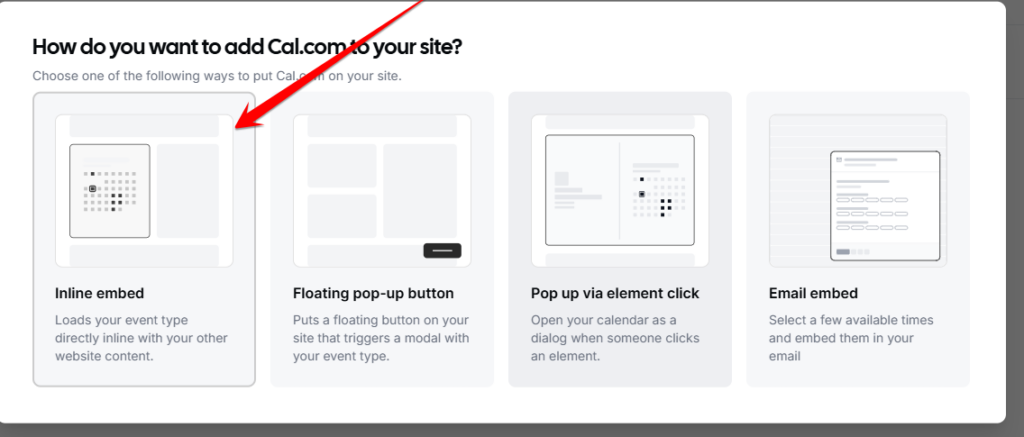
5- Select the inline embed.
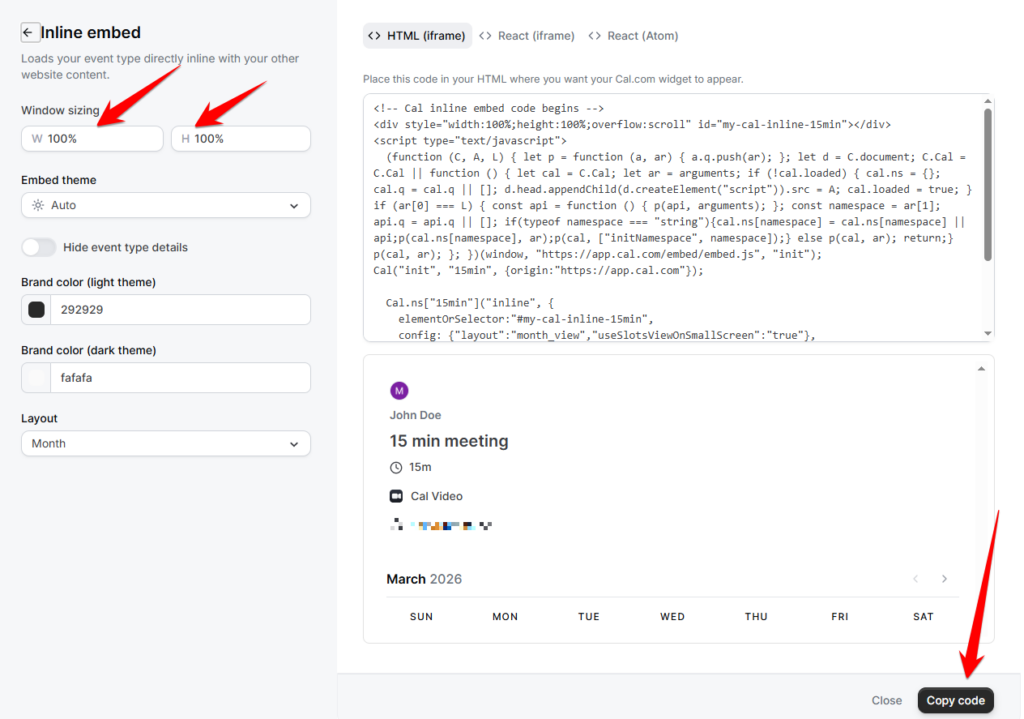
6- Adjust the height and width and copy the code.
7- Add the code in the Booking Assistant Embed Code.
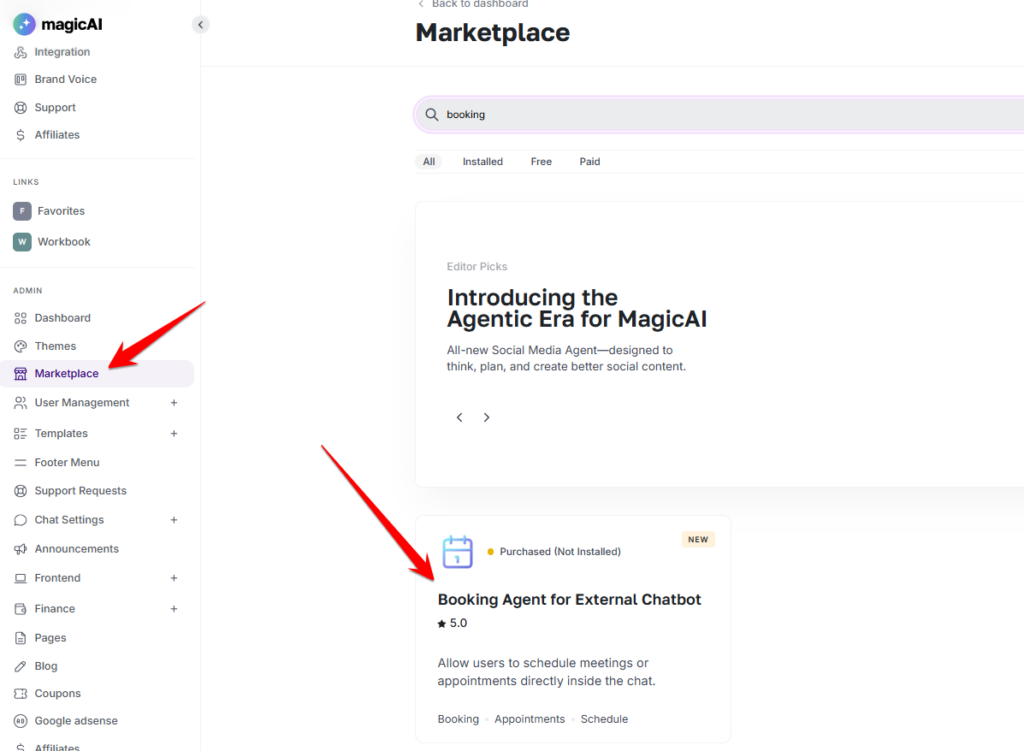
To enable this feature, you will need to install the add-on from the marketplace.
Adding {{itemName}} to cart
Added {{itemName}} to cart