

Type and hit enter
The Voice Call Agent extension transforms your standard external chatbot from a text-only interface into a fully interactive, real-time voice assistant. This feature allows your users to engage in natural, spoken conversations directly through the embedded chatbot on any external website.
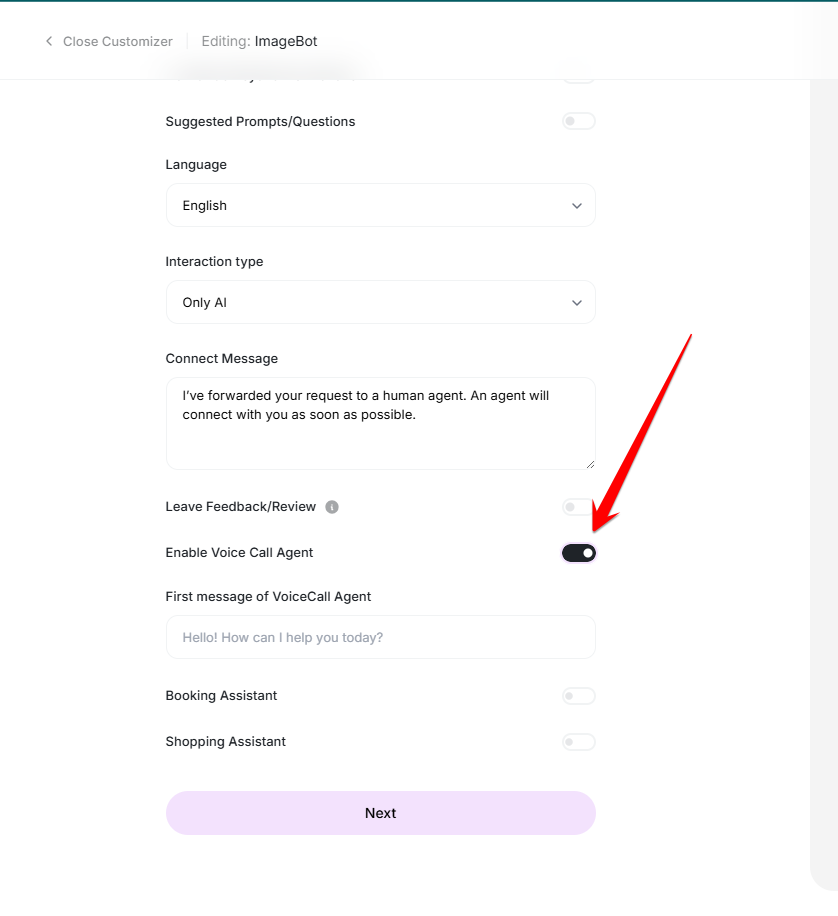
To activate the voice capabilities for your chatbot, toggle the Enable Voice Call Agent option.
Once enabled, you must define the Voice Call Initial Message. This is the first sentence the AI agent will speak when the user initiates a call, serving as a professional greeting and setting the tone for the interaction.
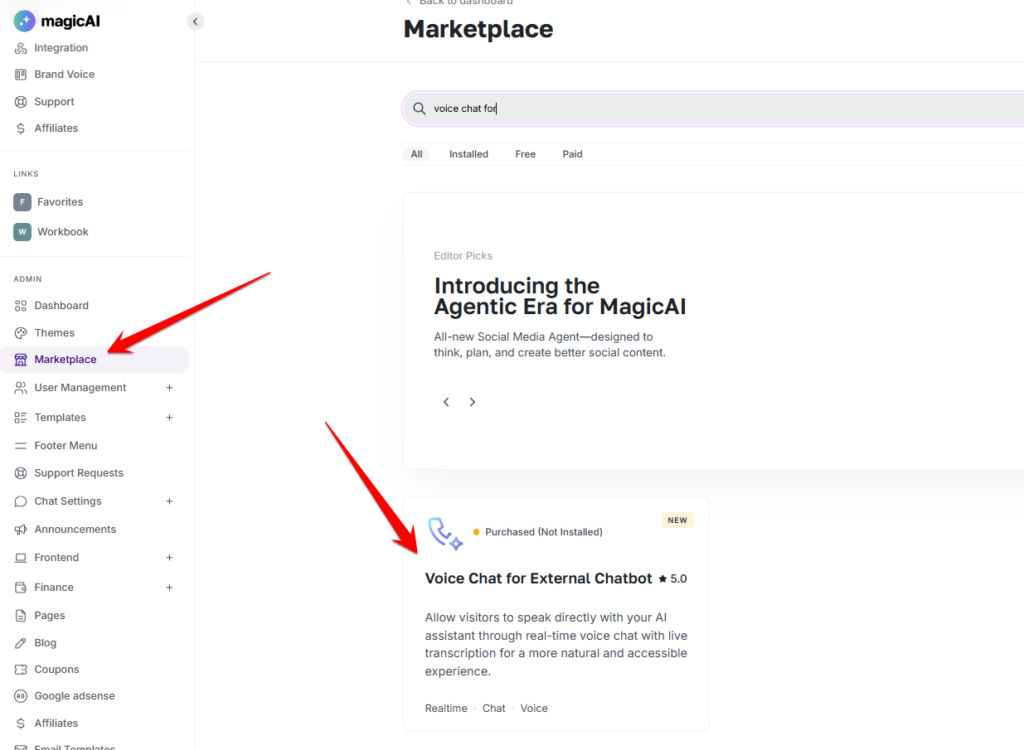
To enable the feature, you will need to install the add-on from the marketplace.
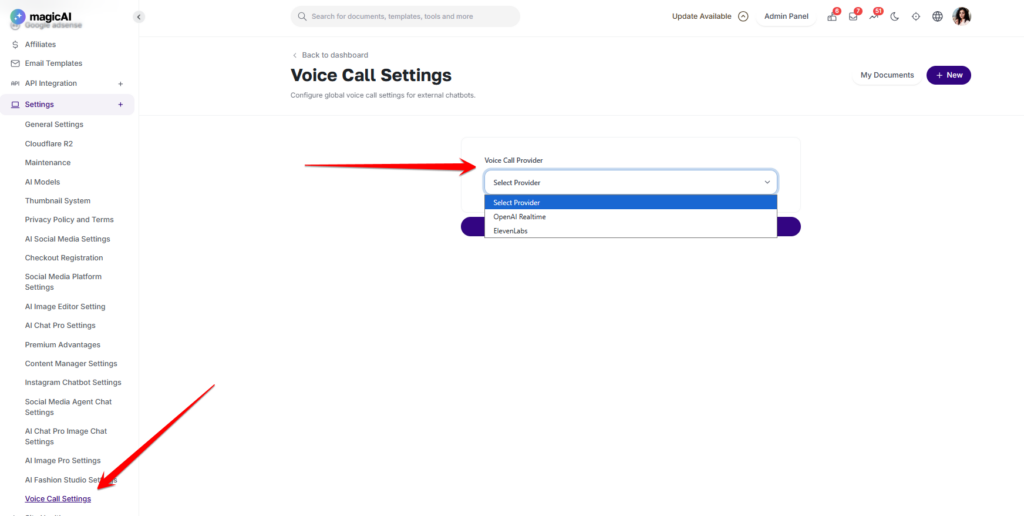
You can select which call provider you want to use for External Chatbots.
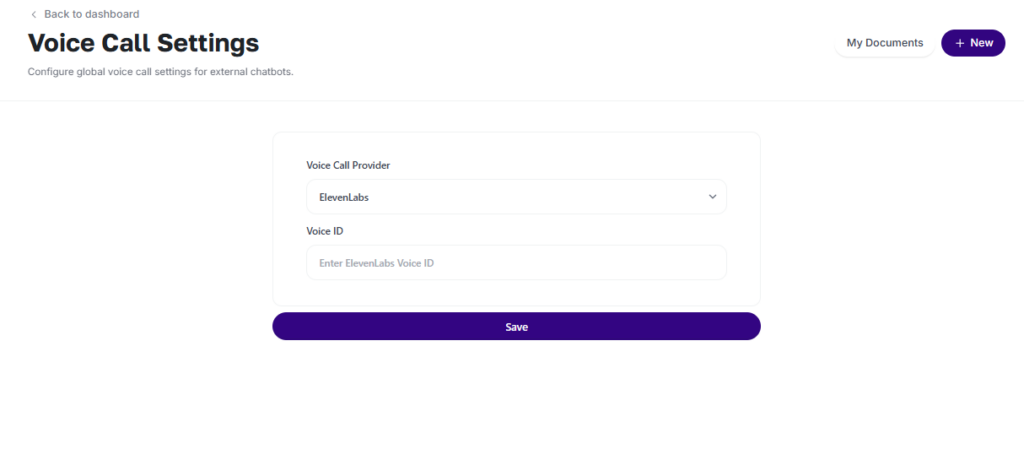
For Elevenlabs, you will need to add the Elevenlabs Voice ID.
OpenAI uses the “gpt-4o-realtime-preview-2024-12-17” model, and Elevenlabs uses “elevenlabs-voice-chatbot” model.
We hope these new features help you create a more seamless and automated experience for your customers. We’ve designed these tools to bridge the gap between AI and e-commerce, and we can’t wait to see how you use them to grow your business.
Adding {{itemName}} to cart
Added {{itemName}} to cart